Every PDF tool you need. None of the uploads.
Convert, edit, sign, organise and compress documents on your own machine. The files never leave your PC, so there is no server to trust and nothing to delete afterwards.
- Processed on your PC
- 27 file formats
- Free to use
- Windows 10 & 11
Features
What DoC Toolbox does
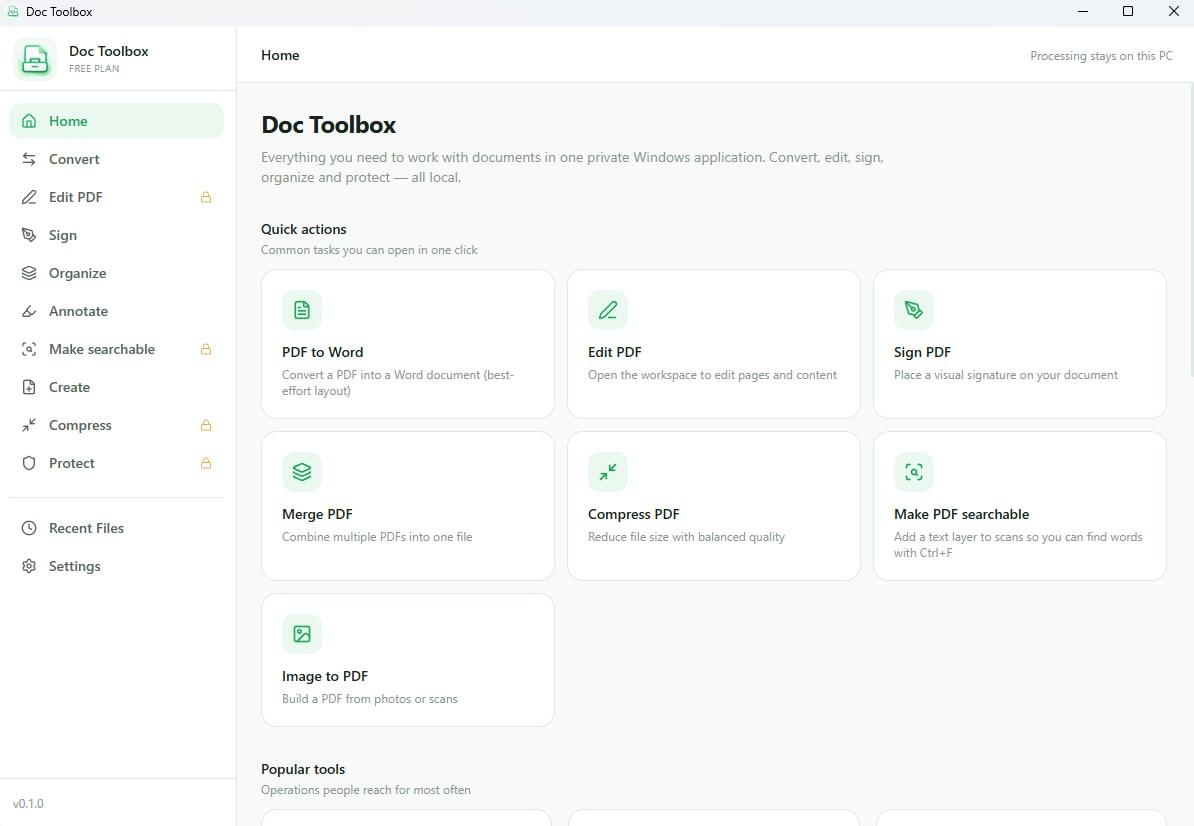
A private PDF and document toolkit for Windows. Convert between 27 formats, edit and organise pages, sign, annotate, OCR and compress — all processed locally instead of being uploaded to a service.
Convert between 27 formats
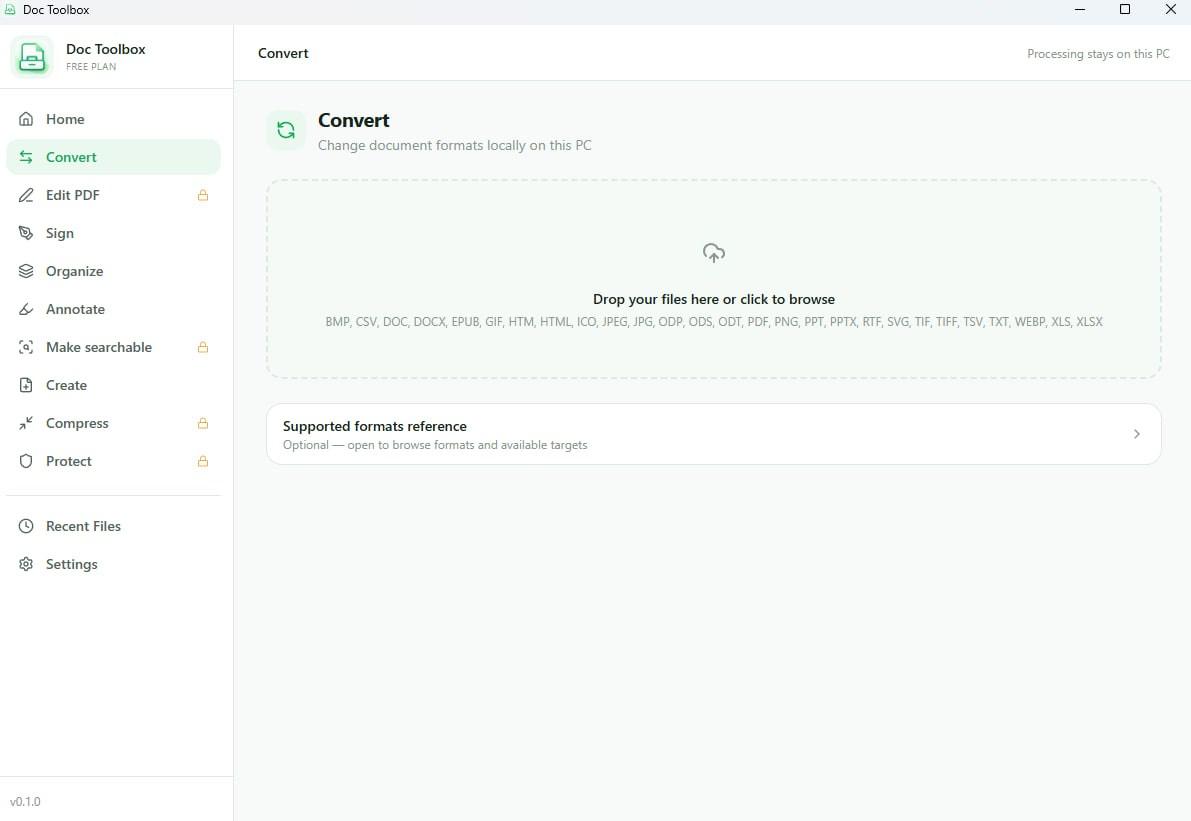
Office, PDF, images, e-books and spreadsheets: BMP, CSV, DOC, DOCX, EPUB, GIF, HTM, HTML, ICO, JPEG, JPG, ODP, ODS, ODT, PDF, PNG, PPT, PPTX, RTF, SVG, TIF, TIFF, TSV, TXT, WEBP, XLS, XLSX. Drop the files in and pick a target — the conversion runs locally.
Organise PDF pages
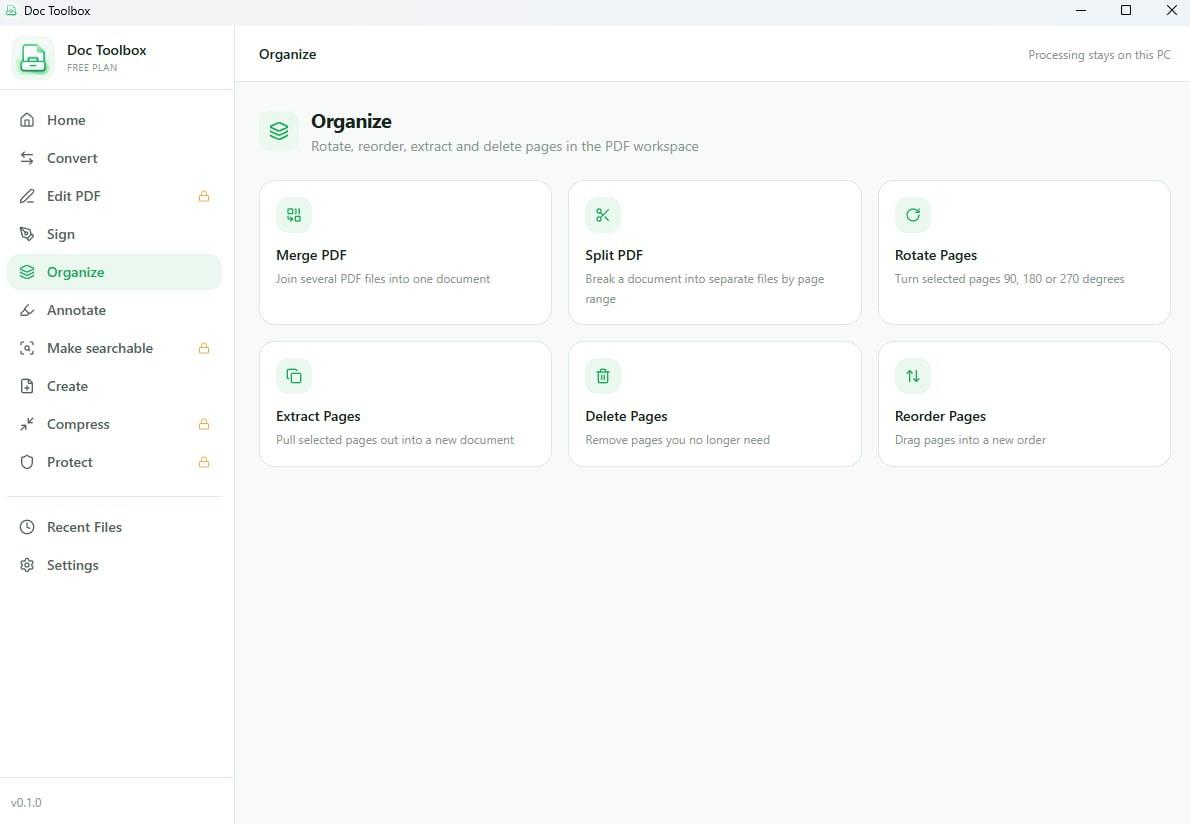
Merge several documents into one, split by page range, rotate, reorder, extract the pages you need and delete the ones you do not. All free.
Sign and fill in forms
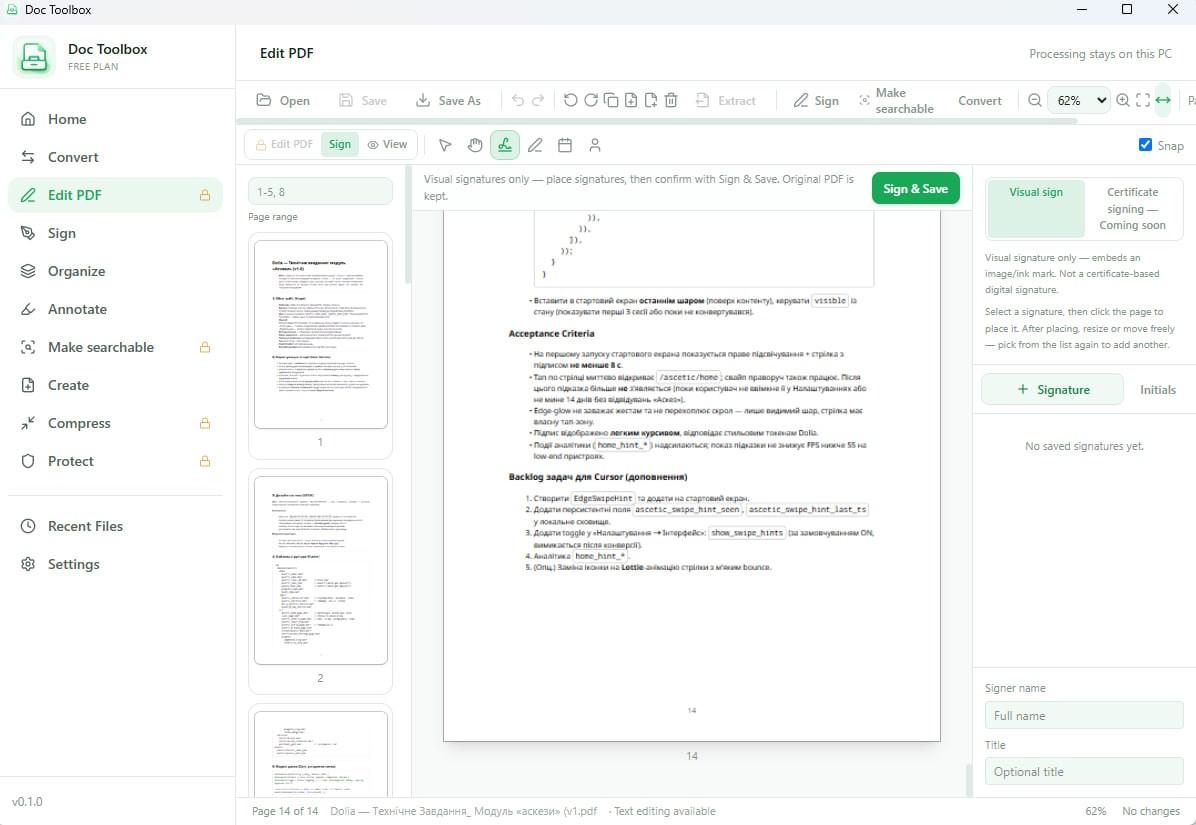
Place a visual signature anywhere on a page and fill in PDF form fields. Signatures are saved for reuse, and the original document is kept rather than replaced.
Make scans searchable
OCR adds a real text layer to a scanned document, so Ctrl+F finds words inside it and you can copy text out of an image. Part of Pro.
Compress and protect
Shrink oversized PDFs and images to a size that will actually send by email, add encryption and watermarks, and batch the whole thing across a folder. Part of Pro.
Nothing is uploaded
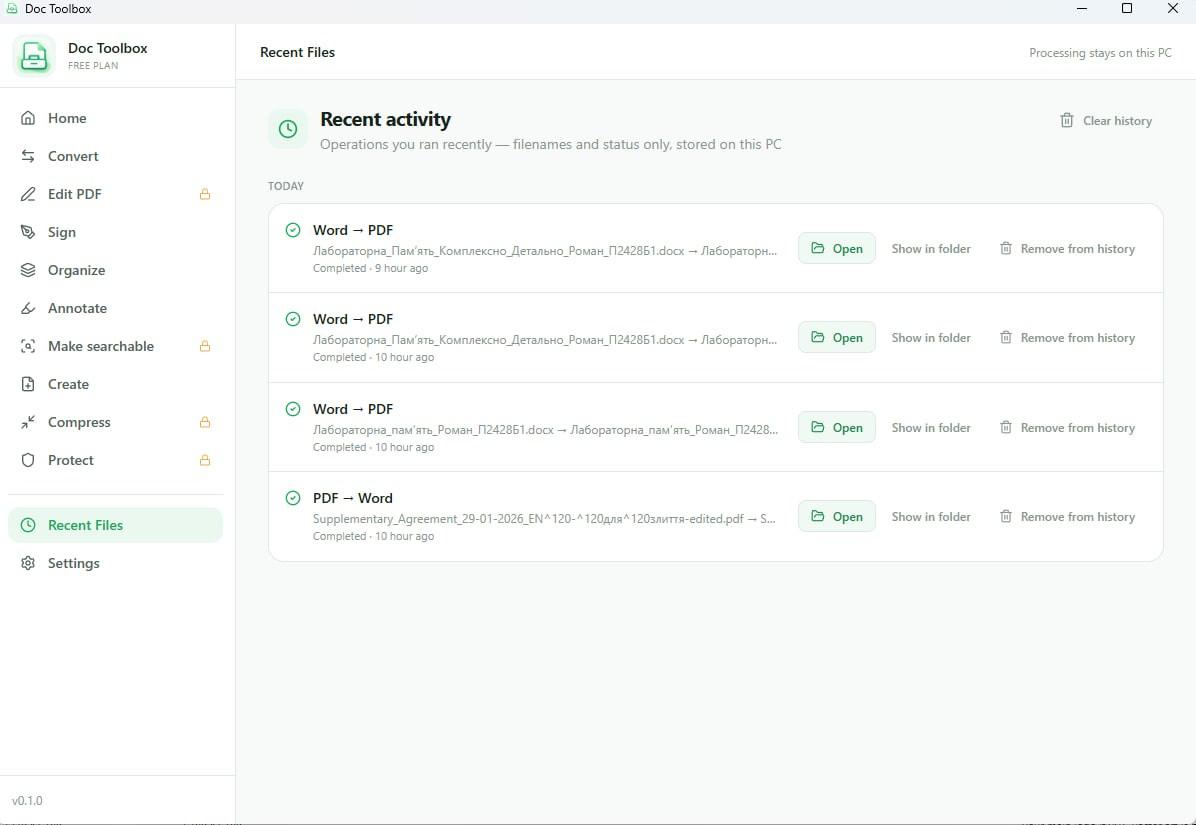
The window says "Processing stays on this PC" because that is what happens. Even the recent-files list keeps only filenames and status, stored locally, and you can clear it.
Screenshots
A closer look
How it works
Four steps, about a minute
Step 1: Open the tool you need
Convert, Edit, Sign, Organize, Annotate, Create, Compress or Protect — each is one click from the sidebar, with the common jobs also on the home screen.
Step 2: Drop your files in
Drag documents onto the drop zone or browse for them. Several files at once is fine; Pro adds batch processing across a whole folder.
Step 3: It runs on your machine
No upload, no queue, no account. Processing speed depends on your PC rather than on someone else's server being busy.
Step 4: Open the result
Finished files land next to the originals, and Recent Files gives you Open and Show in folder for anything you ran earlier.
Download
Get DoC Toolbox
Free to download, with no account. An optional one-time Pro upgrade lifts the free limits.
- Requirements
- Windows 10 version 2004 (build 19041) or later, 64-bit
- Download size
- 19.4 MB
- Pricing
- Free download, optional one-time Pro upgrade ($9.99)
Version history
What changed, and when
DoC Toolbox 0.1.2
- addedConversion between 27 document, image and spreadsheet formats.
- addedPDF page tools: merge, split, rotate, reorder, extract and delete.
- addedVisual signatures and PDF form filling.
- addedPro: OCR, PDF to Excel, compression, encryption, watermarks and batch processing.
Questions
DoC Toolbox FAQ
More from Mudry
You might also want
Know when the next app ships
1 more Windows utility is in development. One short email when each one is ready — nothing else.