 New · Per-folder rules in Quick File Organizer
Windows file organizer app that respects your time
Small Windows utilities that remove annoying tasks from your day.
Organize your Downloads folder automatically.
Quick File Organizer sorts your files into the right folders using simple rules — locally, privately, and without subscriptions.


- Free download
- Windows 10 & 11
- No account
- Works offline
- Microsoft Store
- Windows 10 & 11
- No account
- Works offline
- Local processing
- No telemetry
The idea
Set it up once. Then stop thinking about it.
Rules
Rules that read like sentences
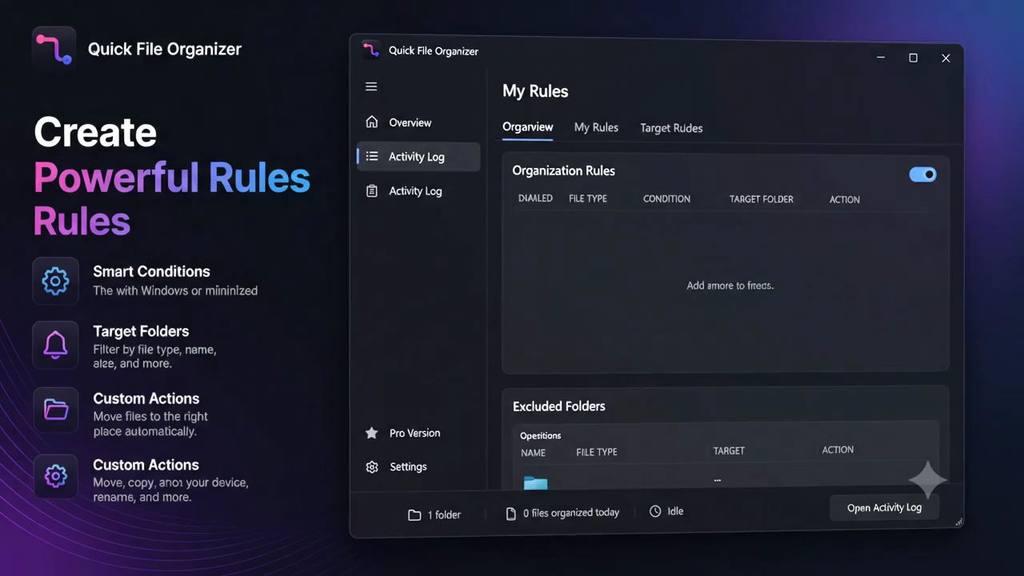
A rule is four choices: which file type, on what condition, into which folder, doing what. No scripting required, and no regular expressions unless you want them.
- Move, copy or delete — you choose the action
- Assign different rules to different folders
- Preview what a rule will do before it touches anything

Runs quietly
It should cost you nothing to leave running
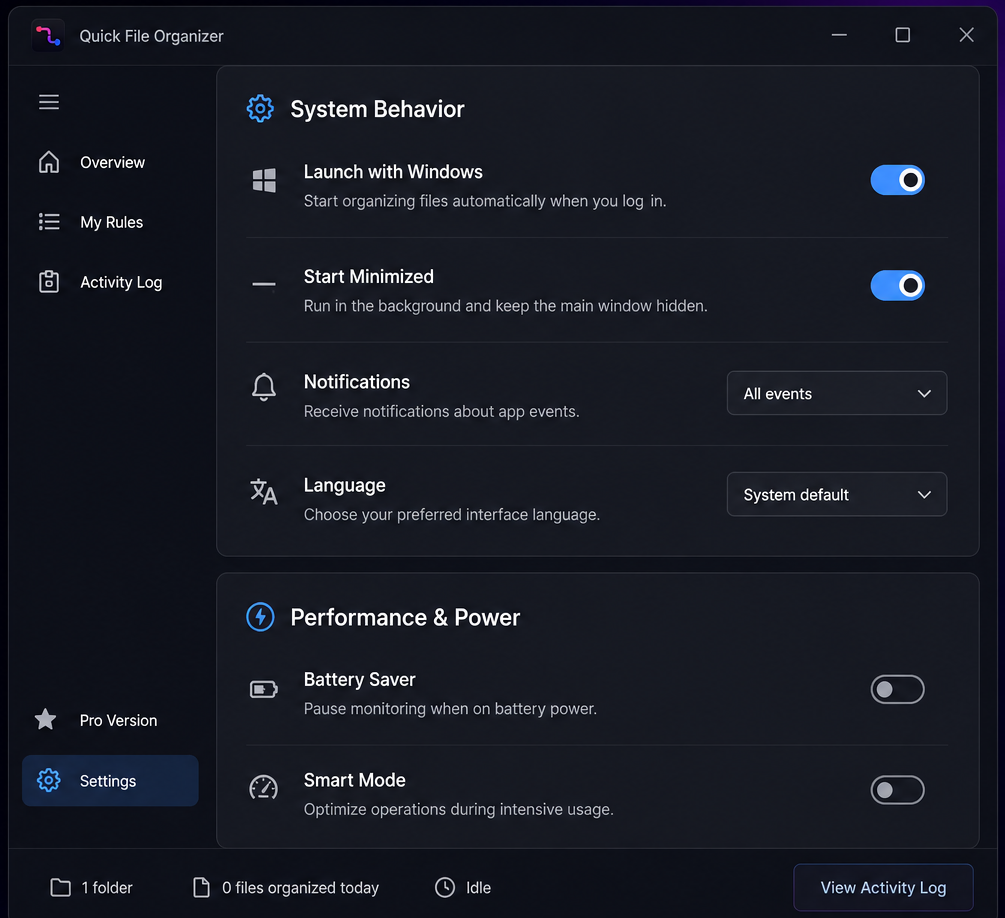
Starts with Windows, minimises to the tray, and pauses monitoring on battery power so it never quietly drains your laptop.
- Battery Saver pauses watching when you unplug
- Smart Mode eases off during heavy system load
- Notifications you can turn down to only what matters
Setup
Useful within a minute
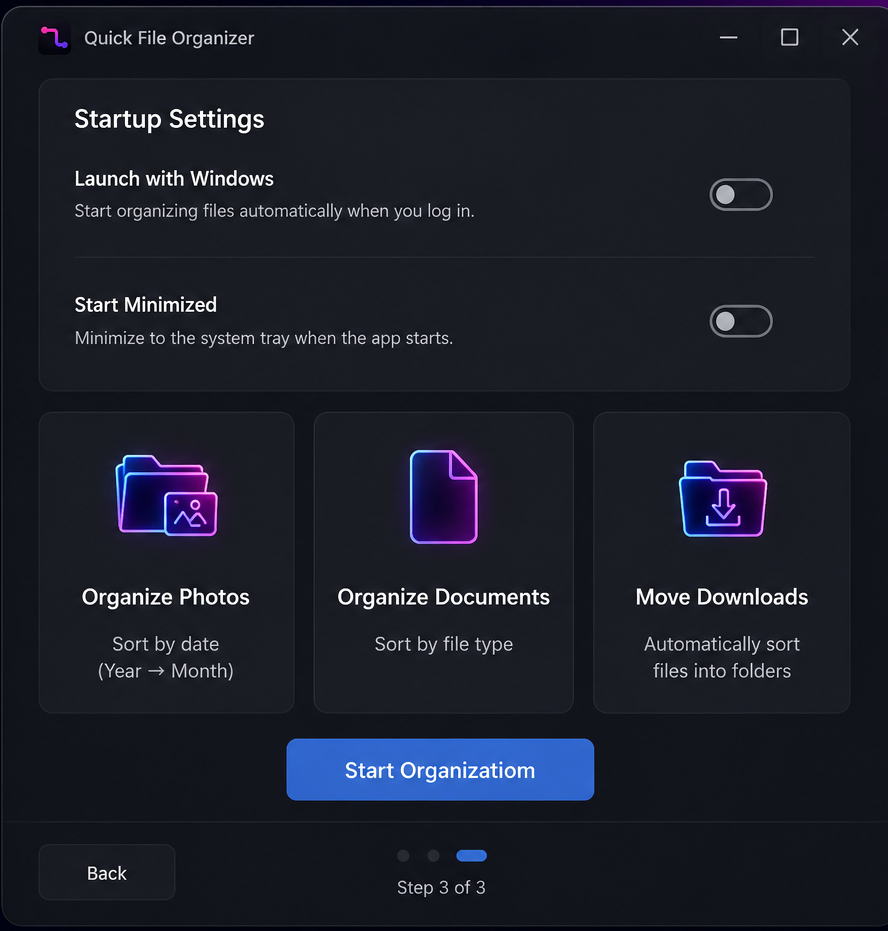
Setup offers ready-made presets rather than an empty rules table — organize photos by date, documents by type, or simply keep Downloads clean.
- Three presets to start from, editable afterwards
- Choose whether it launches with Windows
- No account, no sign-in, no licence key
Everything else
The details you only notice when they are missing
Real-time monitoring
Watched folders are sorted the moment a file lands — not on a schedule you have to remember to set. Part of Pro.
Preview before applying
See the plan first. Files move when you are satisfied with it.
Battery aware
Pauses monitoring on battery power so it never costs you runtime.
Notifications, tuned
Every event, only the important ones, or nothing at all.
Follows your language
Uses your Windows language by default, or pick another in settings.
Stop sorting files manually.
Let Quick File Organizer handle it for you.
Free · Windows 10 & 11 · No account · Works offline
DoC Toolbox
Every PDF tool you need, without the uploads
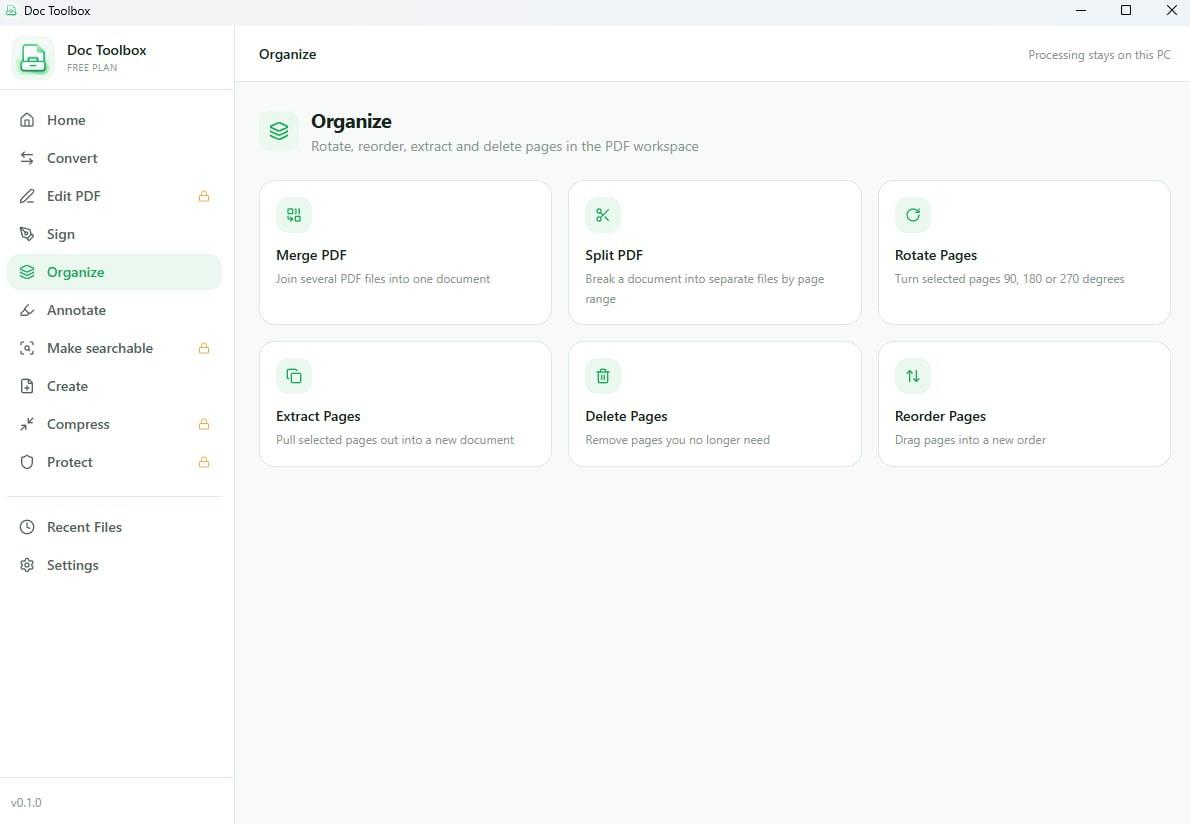
Convert, merge, split, compress and sign PDFs — processed on your PC instead of a stranger's server. Free for everyday use, with OCR and batch processing in Pro.
- Convert PDF to Word, Excel, images and back — 27 formats
- Merge, split, rotate and reorder pages, with no page limit
- Sign, fill in forms, and compress — all of it offline
Why Mudry
Utilities that behave the way software used to
Small, fast, private, and priced without games. Four commitments that shape every decision we make.
Private by architecture
Our apps make no network requests of their own — no analytics, no crash reports, no update pings. Your files are processed locally and never leave your PC.
Fast enough to feel instant
Native WinUI 3, not a packaged web page. It launches quickly, stays responsive while it works, and sits quietly in the tray the rest of the time.
One job, done properly
No app does five things badly. Each one solves a single annoyance completely, then gets out of your way.
Free to start, honest about the rest
Free to download, with no ads and nothing that expires. If you outgrow the free limits, Pro is one purchase — never a subscription.
Who it is for
Built for anyone with more files than time
- Students
- Professionals
- Photographers
- Developers
- Content creators
- Anyone with a messy Downloads folder
Quick File Organizer has only just arrived on the Microsoft Store, so there are no reviews to quote yet. When there are, they will be real ones.
The suite
One studio, a growing set of tools
2 more Windows utilities are in development, each sharing the same principles and the same design language.

Writing
From the blog
Notes on Windows, file management and building software that stays out of the way.
Quick File Organizer vs File Arbor: an honest head-to-head
Quick File Organizer vs File Arbor, written by one of the two. Price, free tiers, preview versus undo, and the four things File Arbor does that we do not.
· 6 min read
Quick File Organizer vs Hazel: not the same decision
Quick File Organizer vs Hazel is really a platform question, not a feature one. What each does, what Hazel has that nothing on Windows matches, and who wins.
· 6 min read
Sortio alternative: rules instead of AI, and what you lose
A Sortio alternative usually means swapping AI classification for rules you write. What that saves, what it costs, and the files it genuinely cannot handle.
· 6 min read
Questions
Frequently asked
If the answer you need isn't here, email us and a person will reply.
Know when the next app ships
1 more Windows utility is in development. One short email when each one is ready — nothing else.
Stop fighting your file explorer.
Quick File Organizer is free to download, works completely offline, and takes about a minute to learn. There is no account to create.