Folders that organize themselves.
Take control of your files with rules that match how you actually work. Watch a folder and it stays sorted automatically — or organize any folder manually in one click.
- Free to download
- Works completely offline
- Local file processing
- Windows 10 & 11
Features
What Quick File Organizer does
A modern Windows utility that organizes folders automatically using rules you write — watching in real time, or cleaning up in a single click.
Organize any folder in one click
Point Quick File Organizer at a folder and it sorts everything in it using the rules you define, on demand. Free, with no trial clock.
Real-time folder monitoring
Watched folders are sorted the moment a file appears, with no button to press. Your Downloads folder stops accumulating and simply stays organized. Part of Pro.
Custom sorting rules
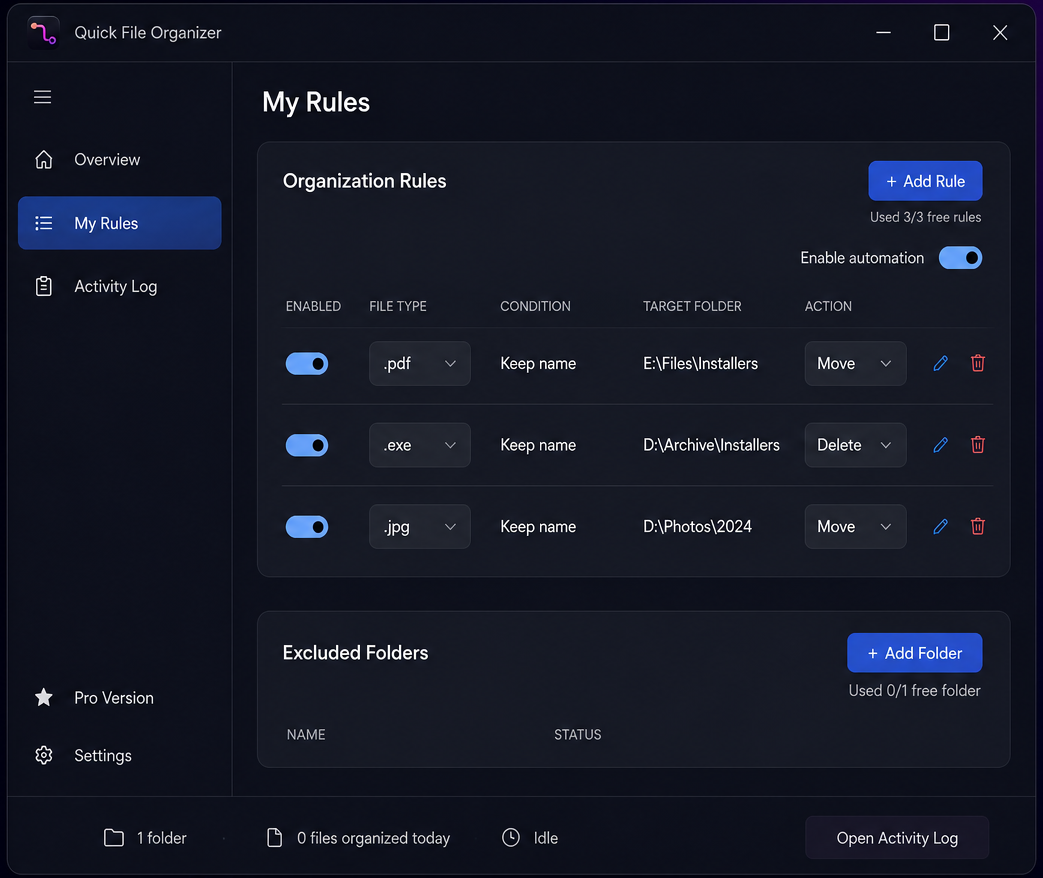
Build rules that match how you think about your files, and assign different rules to different folders rather than applying one blunt policy everywhere.
Smart file filters
Filter by folder, action, extension and status, so a rule targets exactly the files you meant and leaves everything else alone.
Preview before applying
See what a rule will do before it touches anything. Files move when you are satisfied with the plan, not before.
Battery-aware and out of the way
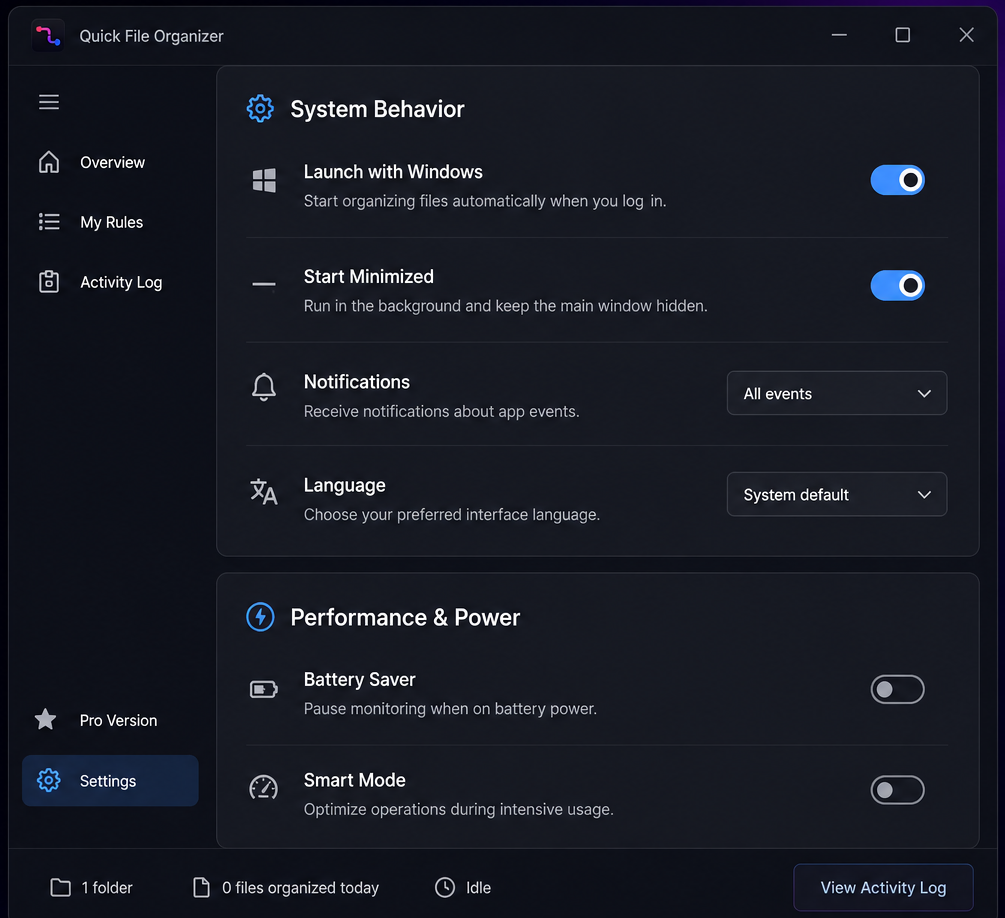
A native WinUI 3 app that starts with Windows, sits in the tray, and can pause monitoring on battery power so it never costs you runtime.
Fast native Windows experience
Built on WinUI 3 rather than a packaged web page, so it launches quickly and stays responsive while it works.
Works completely offline
Every feature runs locally. There is no account to create and no connection required to organize your files.
Screenshots
A closer look
How it works
Four steps, about a minute
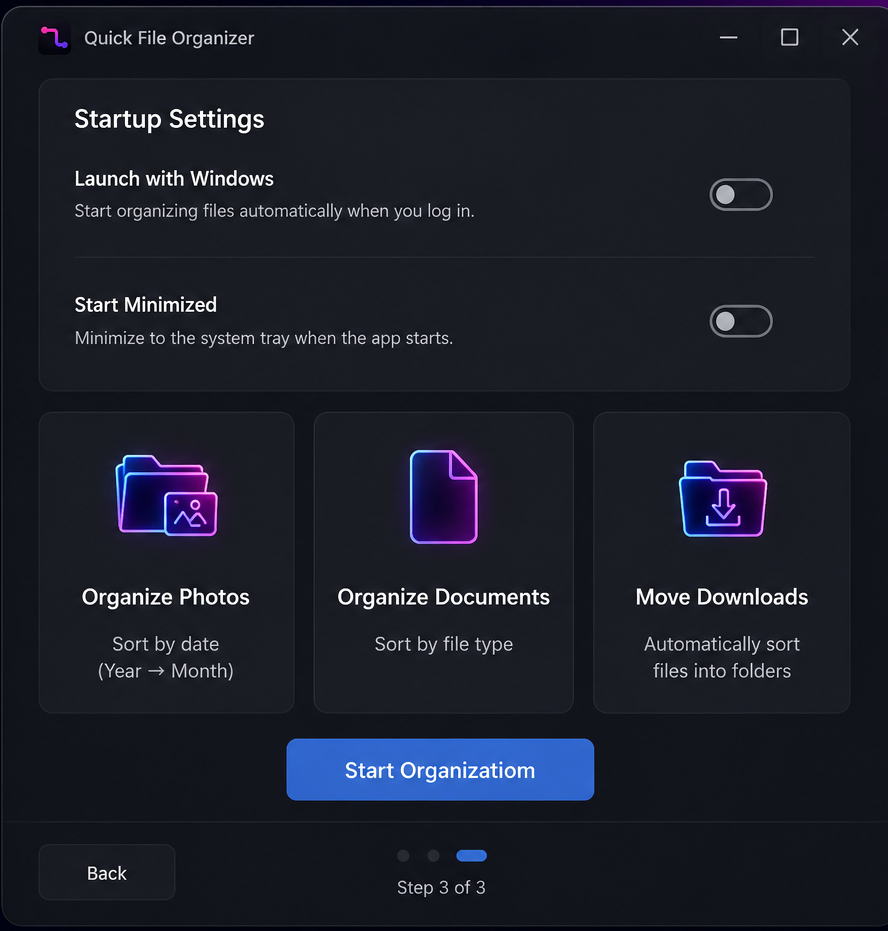
Step 1: Add a folder
Choose the folder you want kept tidy — Downloads and Desktop are the usual starting points.
Step 2: Create your rules
Define what goes where, filtering by extension, action and more. Assign specific rules to specific folders.
Step 3: Organize, or let it watch
Run a one-click manual organize whenever you like, or turn on real-time monitoring and let the folder maintain itself.
Step 4: Leave it running
The app starts with Windows and sits in the tray, so your folders stay sorted without you thinking about it.
Download
Get Quick File Organizer
Free to download, with no account. An optional one-time Pro upgrade lifts the free limits.
- Requirements
- Windows 10 version 17763.0 or newer · PC
- Pricing
- Free download, optional one-time Pro upgrade
Version history
What changed, and when
Quick File Organizer
- addedPer-folder rules — assign different automation rules to each watched folder instead of running every rule everywhere.
- improvedRebuilt rules page — see where each rule is used, with filters by folder, action, extension and status.
- improvedMore reliable autostart — starting with Windows now uses StartupTask, so the app survives a reboot. Re-enable the option once after updating if needed.
- fixedTray improvements — exiting from the tray is more stable, and “start minimized” behaves correctly.
Questions
Quick File Organizer FAQ
More from Mudry
You might also want
Know when the next app ships
1 more Windows utility is in development. One short email when each one is ready — nothing else.