Your best smiles, posted in minutes — not hours.
Import the before and after photos from your camera or phone. Proofy aligns them, matches the light, crops to the privacy level the patient agreed to and adds your clinic's branding. No Photoshop, no designer, no upload.
- Built for dental practices
- Consent checked on every export
- Works offline
- Free to use
Video
See Proofy in 100 seconds
From two camera photos to aligned, branded posts, a slider Reel and a consent-checked export. Sample images for illustration.
Features
What Proofy does
A Windows app for dental practices that turns before and after photos into aligned, branded posts, Stories, Reels and website images, with patient photo consent built in. Works offline; patient photos never leave your PC.
Aligned automatically
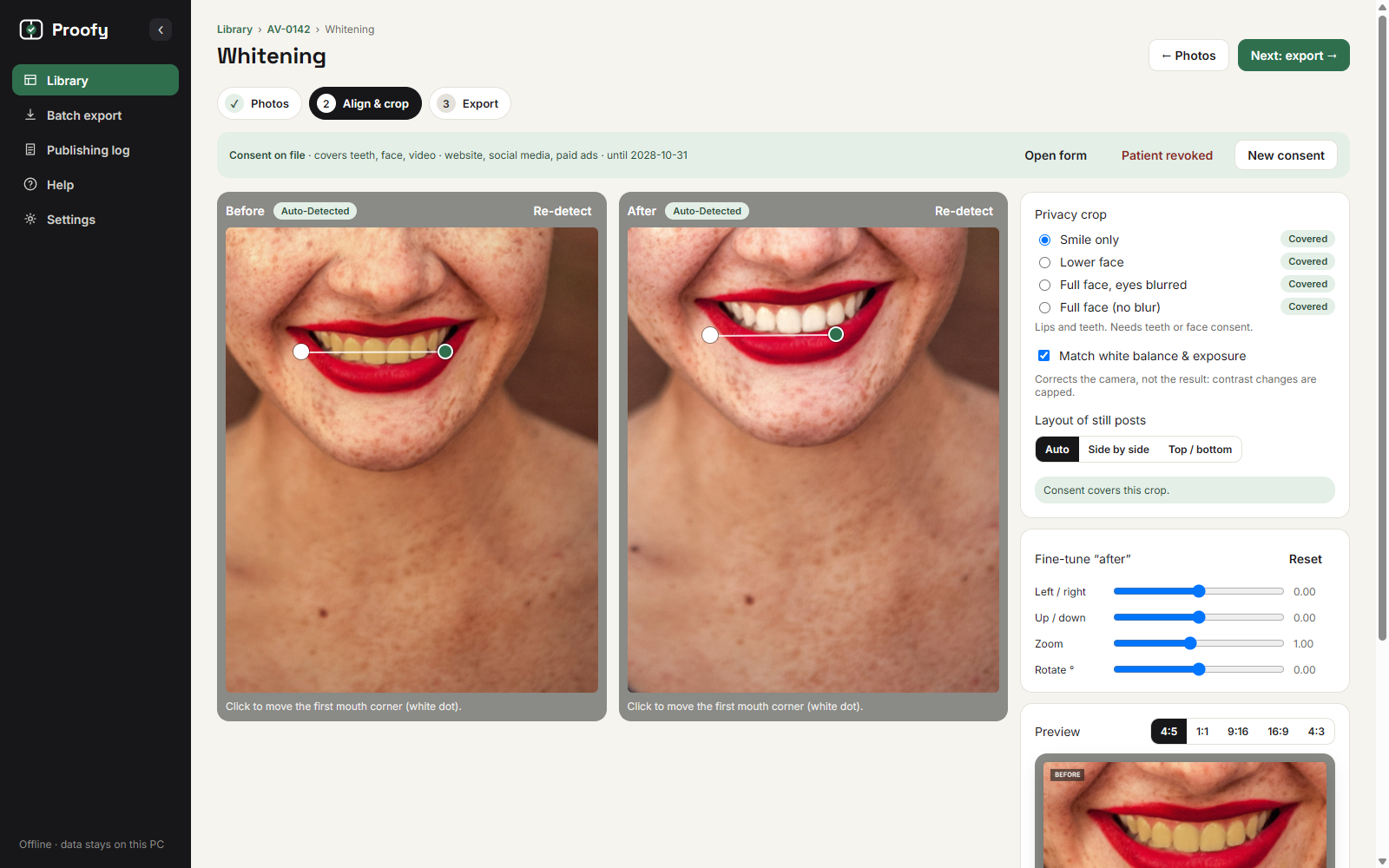
Proofy finds the smile in both photos and lines them up for scale, angle and position. White balance and exposure are matched so the comparison is fair, with contrast changes capped so the correction never whitens teeth on its own. Prefer to adjust? Click the two mouth corners or nudge the sliders.
Every format in one click
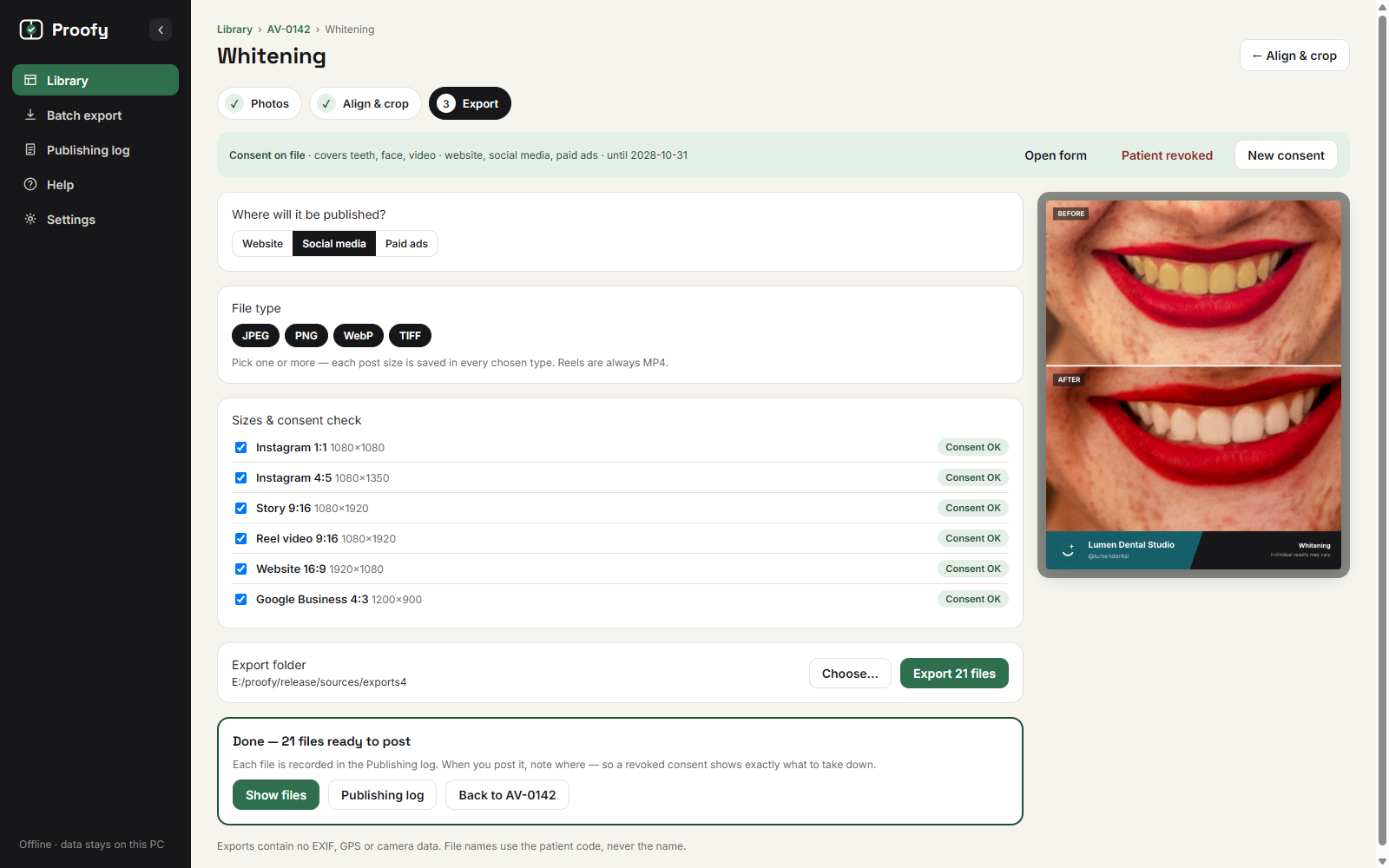
Instagram square (1080×1080) and portrait (1080×1350), Story (1080×1920), an 8-second before/after slider Reel (MP4), a website banner (1920×1080) and a Google Business Profile photo (1200×900). JPEG, PNG, WebP or TIFF, and batch export for many cases at once.
Privacy crops you control
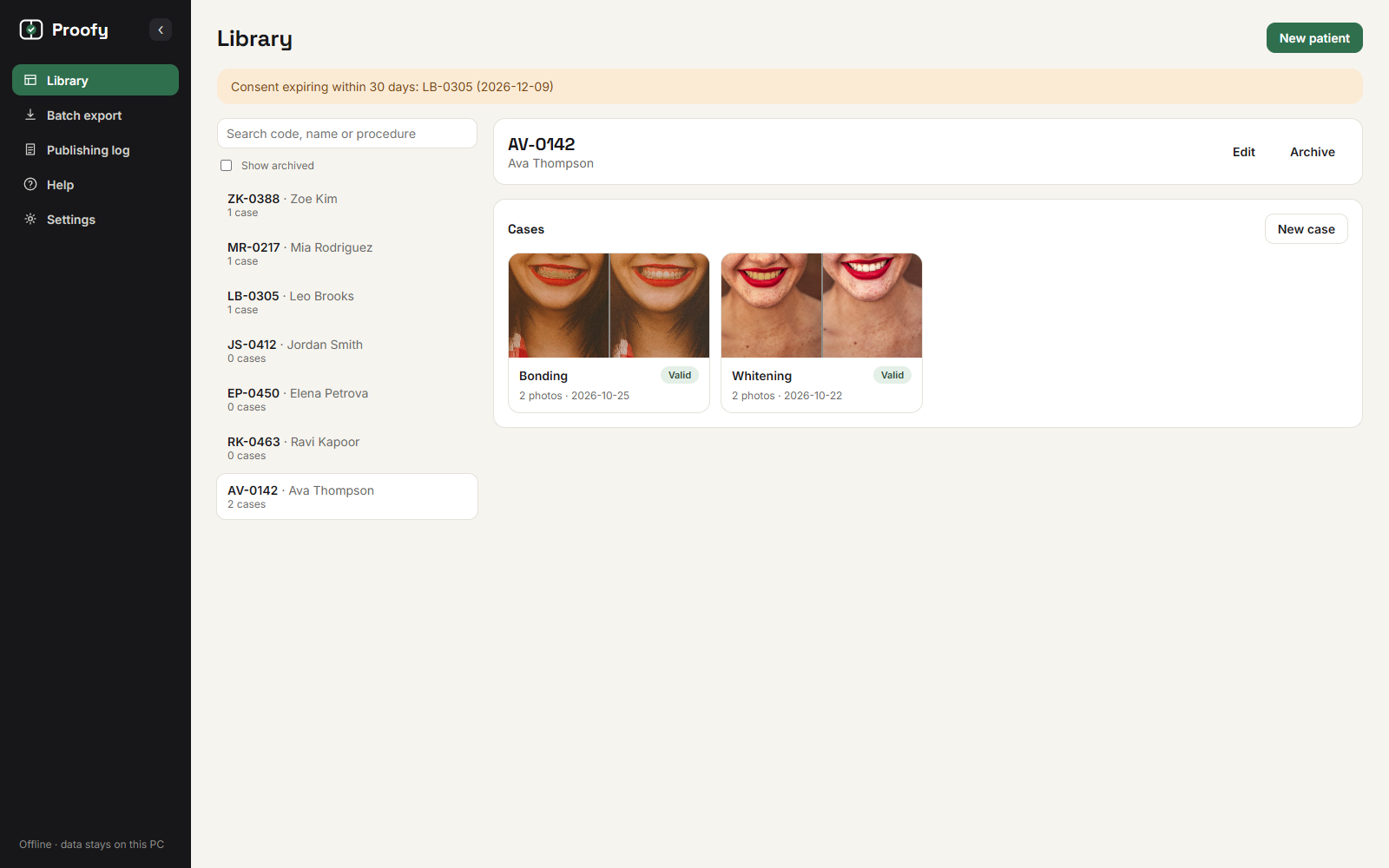
Smile only, lower face, full face with the eyes blurred, or full face. Each option shows at a glance whether the patient's consent covers it, so nobody has to remember what was signed.
Patient consent, built in
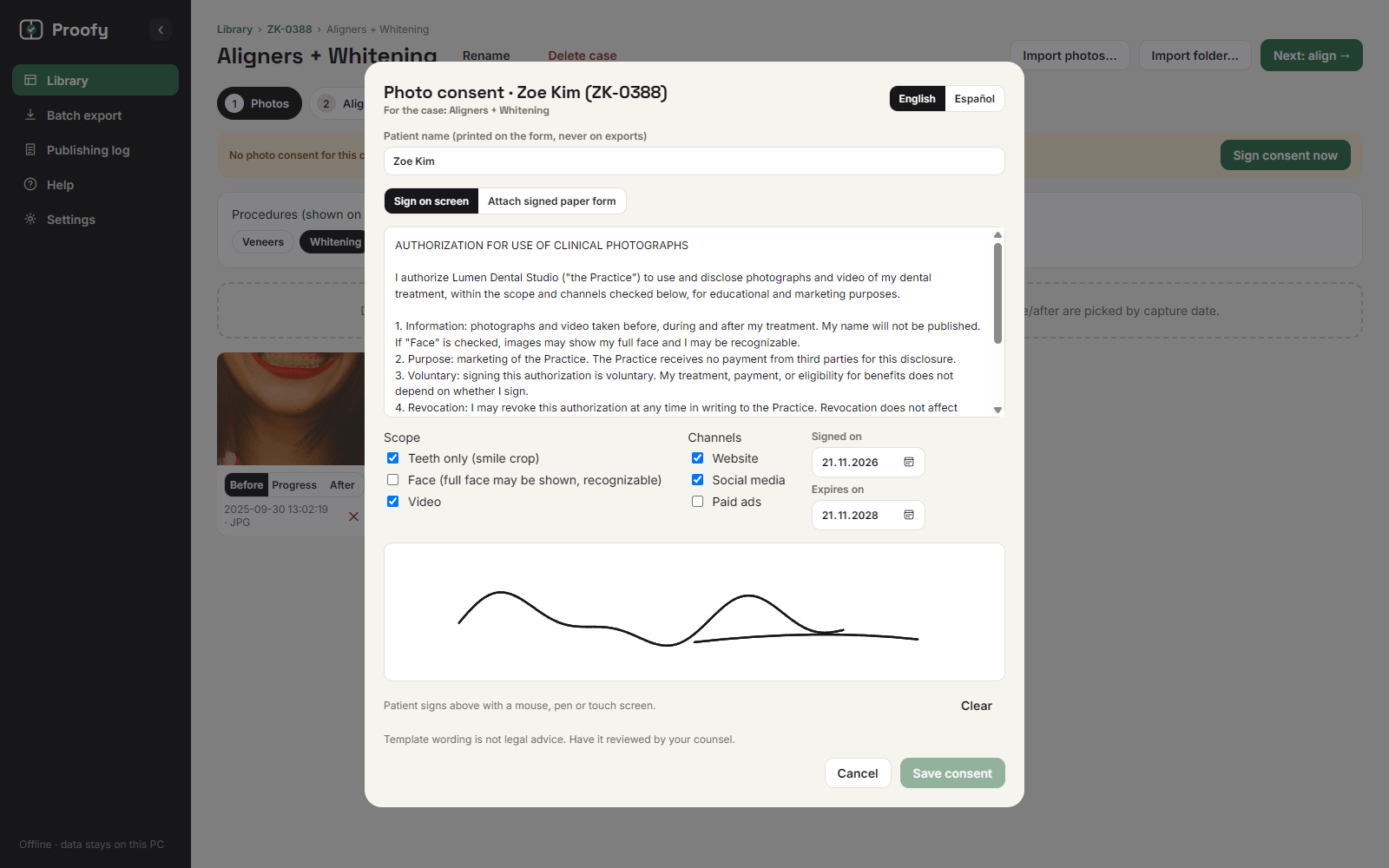
Patients sign a photo authorization on screen in English or Spanish, or you attach a scanned paper form. Proofy records what may be shown, where it may be published and when it expires — and checks it on every export.
Your brand on every post
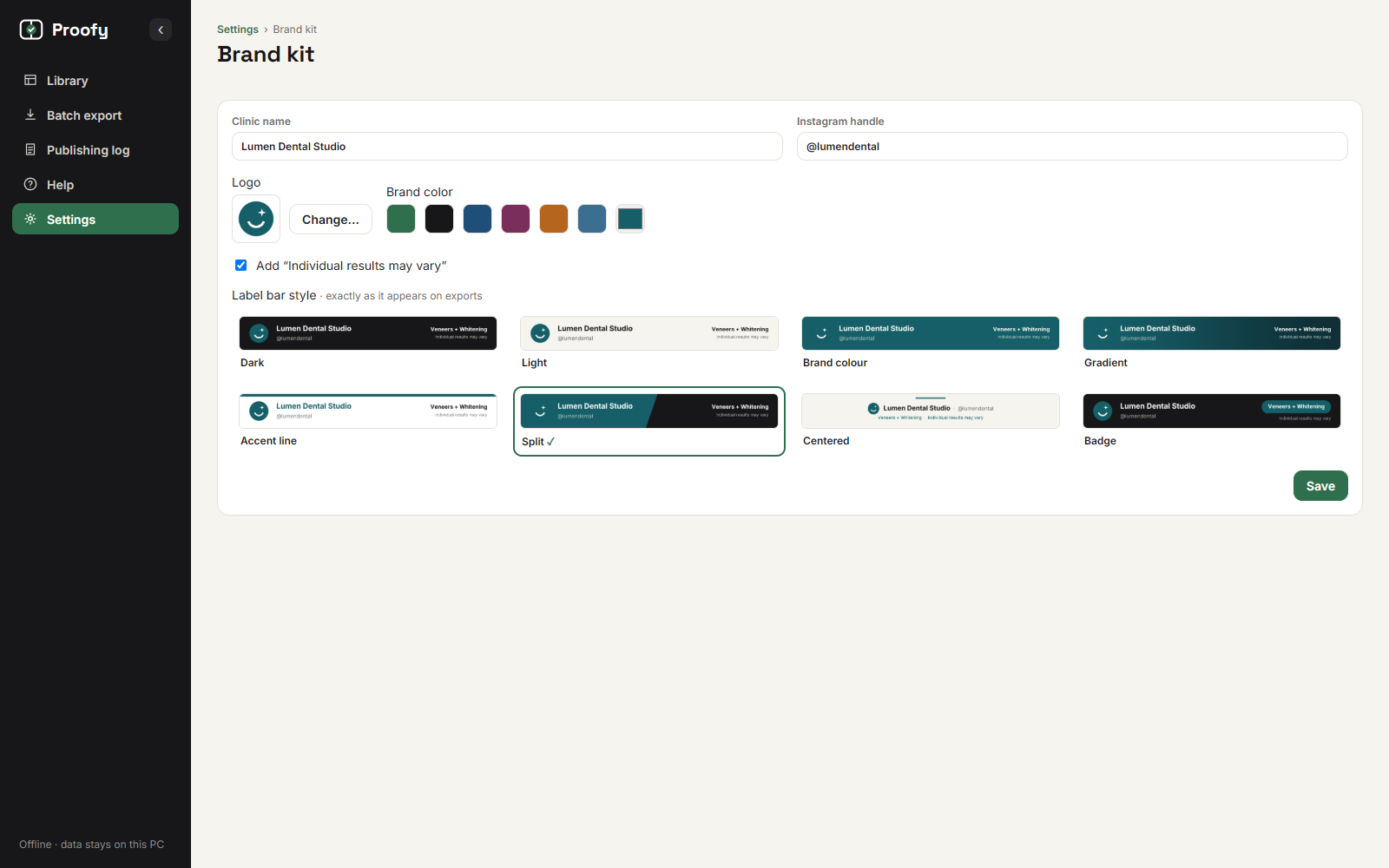
Add your logo, clinic name, Instagram handle and brand colour once, then pick one of eight label bar designs. The procedure name and "Individual results may vary" are added for you.
Private by design
No cloud, no accounts, no tracking. Exported files carry no EXIF, GPS or camera data, file names use the patient code instead of the name, and a PIN lock keeps a shared front-desk PC safe.
Screenshots
A closer look
How it works
Four steps, about a minute
Step 1: Import the photos
Drag in the before and after shots — JPEG, iPhone HEIC or camera RAW from Canon, Nikon, Sony, Fujifilm and others. Proofy sorts them by capture date and never modifies the originals.
Step 2: Check the alignment
The smile is detected and both photos are aligned and colour-matched. Pick a privacy crop; Proofy tells you whether the patient's consent covers it.
Step 3: Export every format
Choose where the post will go and the file types you want. Proofy exports the posts, Story, Reel, website banner and Google Business photo, branded and without metadata.
Step 4: Post with a clear record
Every exported file goes into the publishing log. If a patient withdraws consent, Proofy lists exactly which posts to take down.
Download
Get Proofy
Free to download, with no account. An optional one-time Pro upgrade lifts the free limits.
- Requirements
- Windows 10 version 1809 or later, 64-bit; Windows 11 recommended
- Pricing
- Free download, optional one-time Pro upgrade ($24.99)
Version history
What changed, and when
Proofy
- addedAutomatic alignment and colour matching of before and after photos.
- addedFour privacy crops with consent coverage shown in the editor.
- addedSix export formats including an 8-second slider Reel, in JPEG, PNG, WebP or TIFF.
- addedBrand kit with eight label bar designs.
- addedOn-screen patient consent in English and Spanish, publishing log and takedown list.
- addedOffline library with PIN lock and backups.
Questions
Proofy FAQ
More from Mudry
You might also want
Know when the next app ships
1 more Windows utility is in development. One short email when each one is ready — nothing else.